%20{%20.v%20{%20fill:%20%23edeef0;%20}%20.cursor%20{%20fill:%20%23ff4d5e;%20}%20}%20%3c/style%3e%3cpath%20class='v'%20d='M4%2014h10.5L22%2039.5%2029.5%2014H40L28%2050H16Z'/%3e%3cpath%20class='v'%20d='M42%2014h33v9H63v27H54V23H42Z'/%3e%3crect%20class='cursor'%20x='78'%20y='45'%20width='18'%20height='5'/%3e%3c/svg%3e)
StartWhat Vendetta is
What Vendetta is
What Vendetta does, who it suits, what it needs, and what it leaves alone.
Vendetta is remote control for the coding agents running on your own computer. This page says what it does and whether it fits you; to try it, go to Install.
What it does
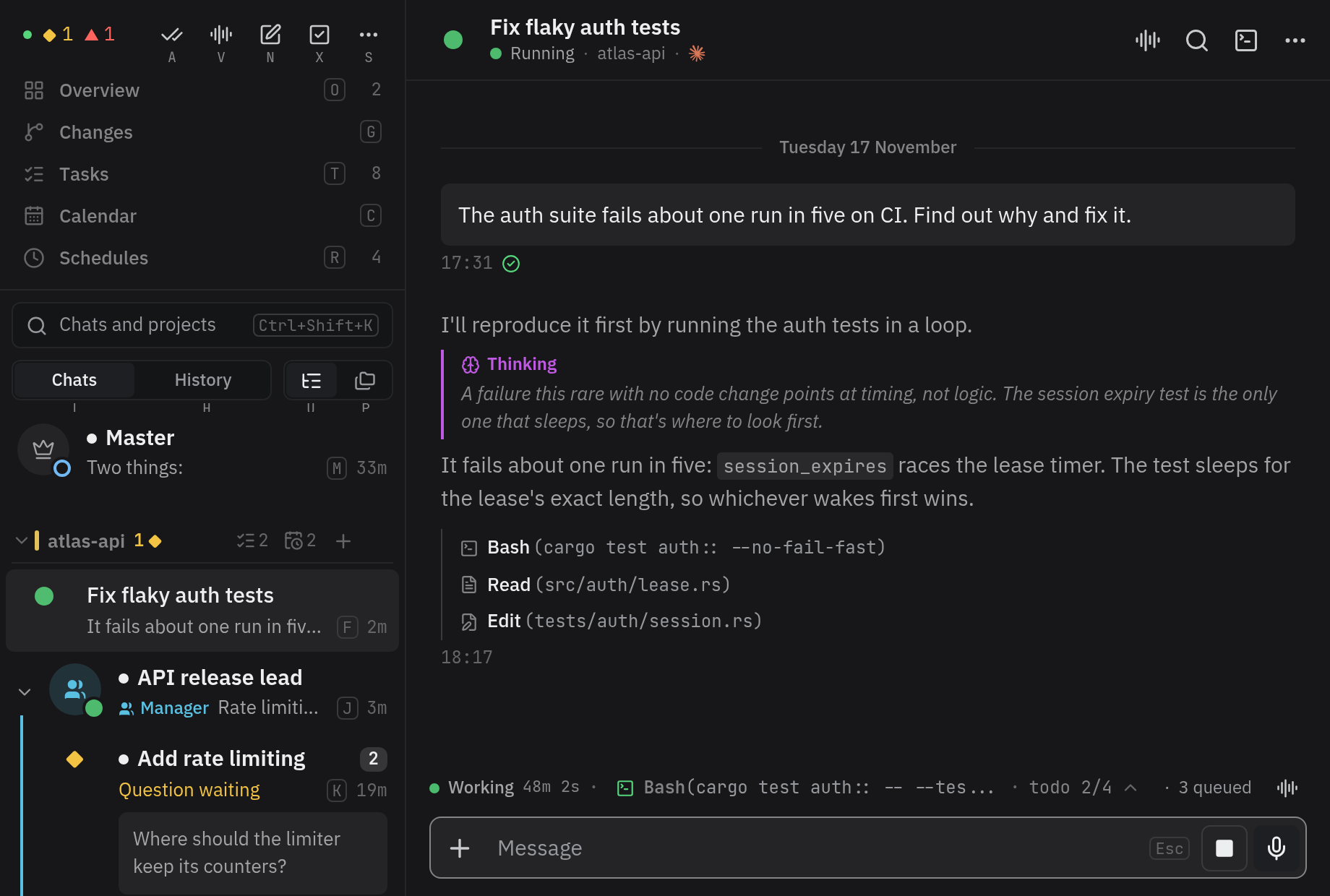
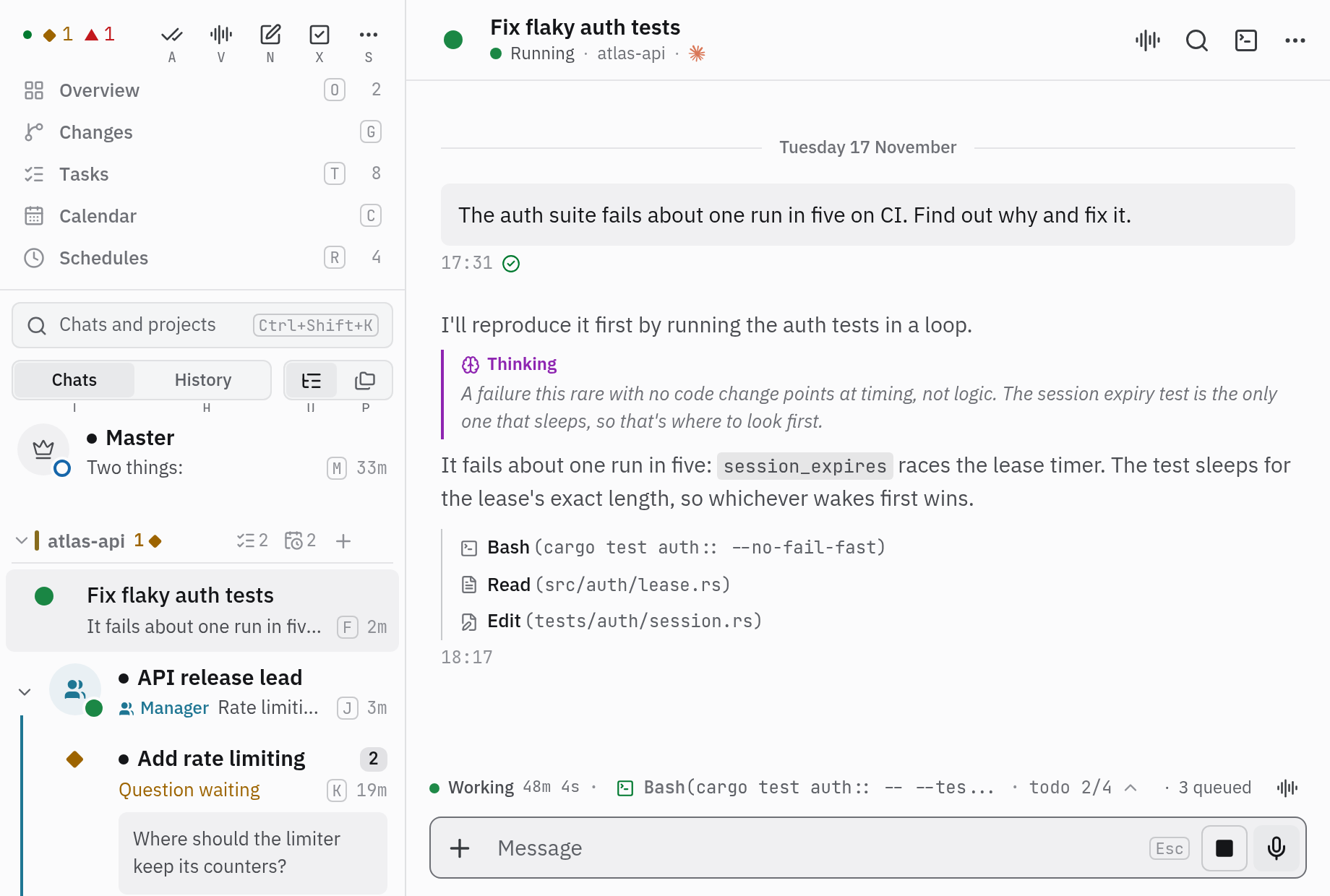
Section titled “What it does”Vendetta finds the Claude Code, Codex, omp, OpenCode, Gemini CLI, and Aider sessions on your machine, in tmux or in any other terminal. It shows which are working and which wait for you, and gives each one a chat you can reach from:
- the chooserChooser. The screen in your terminal that lists projects and agents and jumps to any of them: vendetta tui, or Alt+s in tmux once you bind it., a screen in your terminal (
vendetta tui); - the web clientWeb client. The browser app, served by your own machine on the app port., in any browser you pair;
- the iPhone app, from TestFlight;
- Telegram and Discord, through a bot of your own.
A questionQuestion. A choice an agent asks through its own question tool. It reaches you as buttons. an agent asks arrives as buttons. A Claude Code permission dialog arrives as a card with the command and Allow once and Deny. A prompt you send from one screen shows on the others: the agent keeps running on the computer, and every screen reads the same conversation.
You can also restore ended conversations, run prompts on a schedule, put a manager over a team of agents, and add people, who each get a Vendetta of their own on your computer.
Agents can use passwords and tokens from your password manager when you allow it: an agent asks, you answer on a card, and the value goes to the command that needs it and nowhere the agent can read (Secrets). The forges plugin lists your projects’ issues and pull requests from GitHub, GitLab, and Forgejo beside the overview, and starts an agent on one.
Who it is for
Section titled “Who it is for”One person, the adminAdmin. The person who installed Vendetta and runs it. People are added under the admin's account., installs and runs it: someone comfortable with a shell, on a Linux or macOS computer that stays on, who runs several agents at once and wants to answer them away from the desk.
People the admin adds need only a phone or a browser. See You’ve been invited.
What it needs
Section titled “What it needs”| For | You need |
|---|---|
| Running it | Linux, or macOS 13 or newer, and a stable Rust toolchain to build it |
| Agents | At least one providerProvider. The program an agent runs: Claude Code, Codex, omp, OpenCode, Gemini CLI, or Aider.Provider. The program an agent runs: Claude Code, Codex, omp, OpenCode, Gemini CLI, or Aider. you already use, installed and logged in |
| Managed agents, pane navigation, live previews | tmux 3.3 or newer (optional) |
| The web client | Bun at install time |
| A phone or another computer | A private way to reach your machine, such as a tailnetTailnet. A private network between your own devices, made with Tailscale.Tailnet. A private network between your own devices, made with Tailscale. |
| People and container projects | Docker or Podman; people’s projects always run in rootless Podman |
Questions arrive as buttons from Claude Code, omp, and OpenCode. Vendetta starts and resumes Claude Code, Codex, omp, and OpenCode; Gemini CLI and Aider are listed when you start them. Requirements and platforms has the full list for each feature, platform, and provider.
What it doesn’t do
Section titled “What it doesn’t do”- It brings no agent of its own. You bring the providers and their logins.
- It is not a hosted service. There is no account or cloud. What leaves your machine is what you turn on: a messaging bot, a transcription provider, a push service.
- It is not a sandbox. Agents run as you, with your privileges. To fence a project’s agents in, run it as a container project.
- It does not replace your agents’ own screens. Their terminals stay as they are. Quit Vendetta and they keep running.
What stays with you
Section titled “What stays with you”- Approvals. Agents Vendetta starts on your computer ask before they run commands. Agents in a container project don’t ask; the container is the boundary. Only you answer an approvalApproval. A provider's permission dialog for a tool call. Only you answer one: at the terminal, or for Claude Code in the iPhone and web apps with Allow once or Deny.: at the terminal, or for Claude Code in the iPhone and web apps. Security says how to change this per provider.
- Your passwords. Agents see no vault until you name it, and each read waits for your answer unless you allowed it beforehand. Secrets has the grants and the audit.
- The network. The app port listens on loopback until you publish it, and every connection needs a paired device.
- Your conversations. Vendetta’s history keeps states and metadata, never prompts, messages, or tool arguments.
Next: Install, then Your first agent.